





Save CA$0.99
Walthers Cornerstone 2908 - HO Scale Diesel Fueling Facility -- Kit
SKU: 933-2908

- Shipping infoWe deliver worldwide
- Payment methods

- Return PolicyWe accept returns
Walthers Cornerstone 2908 - HO Scale Diesel Fueling Facility -- Kit
Product Information
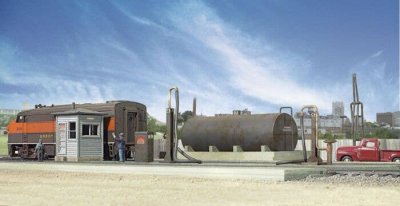
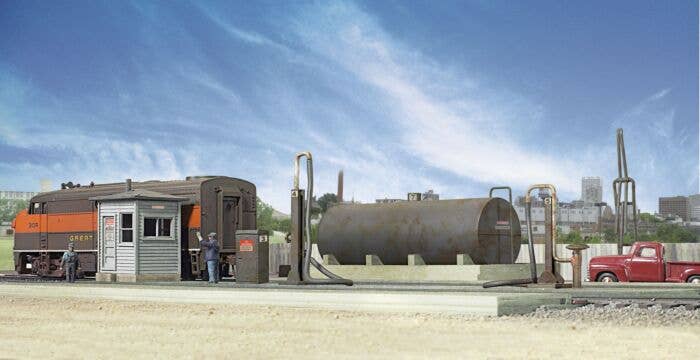
The easy-to-build Walthers Cornerstone HO Scale Diesel Fueling Facility kit is a model of a classic North American small servicing area fueling facility. Based on prototypes introduced in the 1940s when railroads began the shift from steam to diesel power, diesel fueling facilities were originally placed on the servicing leads near roundhouses. Today, you'll still find them at terminals where locos are serviced between runs and out on the road at crew change and train inspection points.
The Diesel Fueling Facility is an authentic addition to any scene and includes everything to complete a two-track fueling facility; storage tank, fuel crane, water crane, pump house and top unloading rack (for unloading diesel fuel from tank cars). For modern era modelers, environmental track "pans" to catch fuel and oil spills are also included. This model kit features plastic parts molded in appropriate colors so there's no painting necessary. Easy-to-follow illustrated instructions make assembly fast and fun for first-time kit builders or seasoned modelers. Use the Diesel Fueling Facility on your railroad among other Cornerstone HO Scale railroad buildings.
- Storage tank and concrete retention berm
- Two-track diesel fueling facility
- Fuel cranes
- Pump house
- Track pans for modern scenes
- Easy-to-build plastic kit
Storage Tank: 5 x 2-3/4" 12.5 x 6.8cm
Platform: 11 x 7" 27.5 x 17.5cm
Unloading Rack: 1/2 x 3/4 x 2-7/8" 1.2 x 1.8 x 7.1cm
To replace this text with your store's actual shipping info, go to "Design -> Menus & Pages -> Product Page Tabs" and edit the Shipping info page.
We accept the following payment methods:
To replace this text with your store's actual info on payment methods, go to "Design -> Menus & Pages -> Product Page Tabs" and edit the Payment methods page.
This page is intended for your policy regarding returns and refunds.
Here you can provide information as to what products can be returned, how many days your customers have to return their purchase, whether they will receive a refund in the original form of payment, a replacement or a store credit, who pays for the shipping of the previously purchased products to the store, and so on.
To replace this text with your store's actual return policy, go to "Design -> Menus & Pages -> Product Page Tabs" and edit the Return Policy page.
Here you can provide information as to what products can be returned, how many days your customers have to return their purchase, whether they will receive a refund in the original form of payment, a replacement or a store credit, who pays for the shipping of the previously purchased products to the store, and so on.
To replace this text with your store's actual return policy, go to "Design -> Menus & Pages -> Product Page Tabs" and edit the Return Policy page.
Customers who bought this product also bought
- 2% less
- 25% less
- 8% less


Customers who viewed this product also bought
- 5% less
- 12% less
- 19% less
- 4% less


